Last updated: November 3, 2026 · By Sanket Goyal
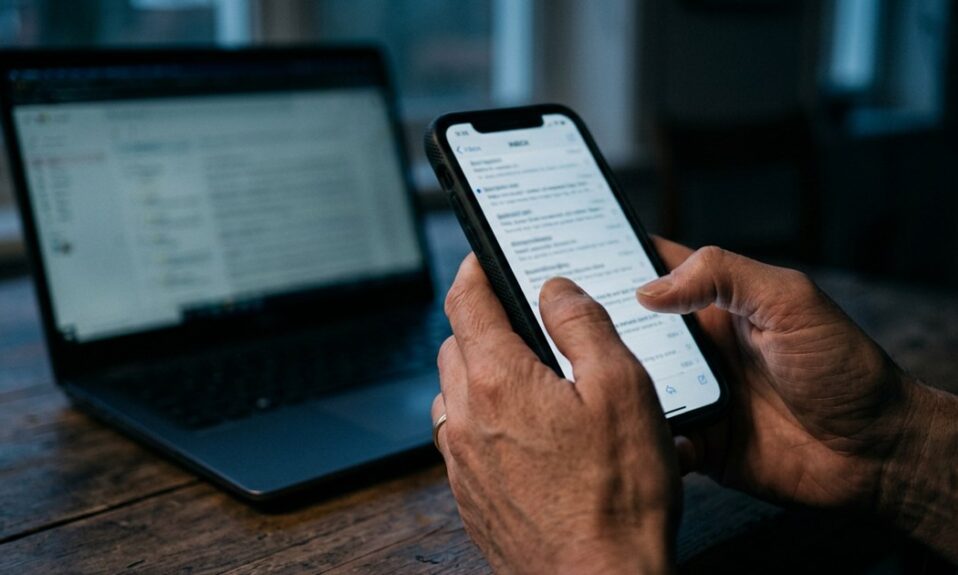
Here is how to spot AI phishing emails: stop reading for typos and start reading for pressure. Perfect grammar no longer proves an email is real. What still gives scams away is urgency, a request for personal or financial details, a sender address or link that is slightly off, and a message you did not expect from a company or person you have no account with.
That shift matters. For years the advice was “look for spelling mistakes”. Cyber agencies now say plainly that some phishing emails have perfect grammar and spelling in the era of AI, so you have to look at other signs. I think that is the single most useful update for ordinary readers, so this guide builds the habit around it.
Why the old typo test fails
Picture a retired teacher who learned to distrust any email with clumsy English. Last month an email arrived, polished, polite, with her bank’s tone nailed down. She passed it by the old test and almost clicked.
Writing tools can now produce clean, friendly text in seconds. A careless scammer and a careful one sound the same. So the question changes from “does this look sloppy?” to “what is this message asking me to do, and did I expect it?”
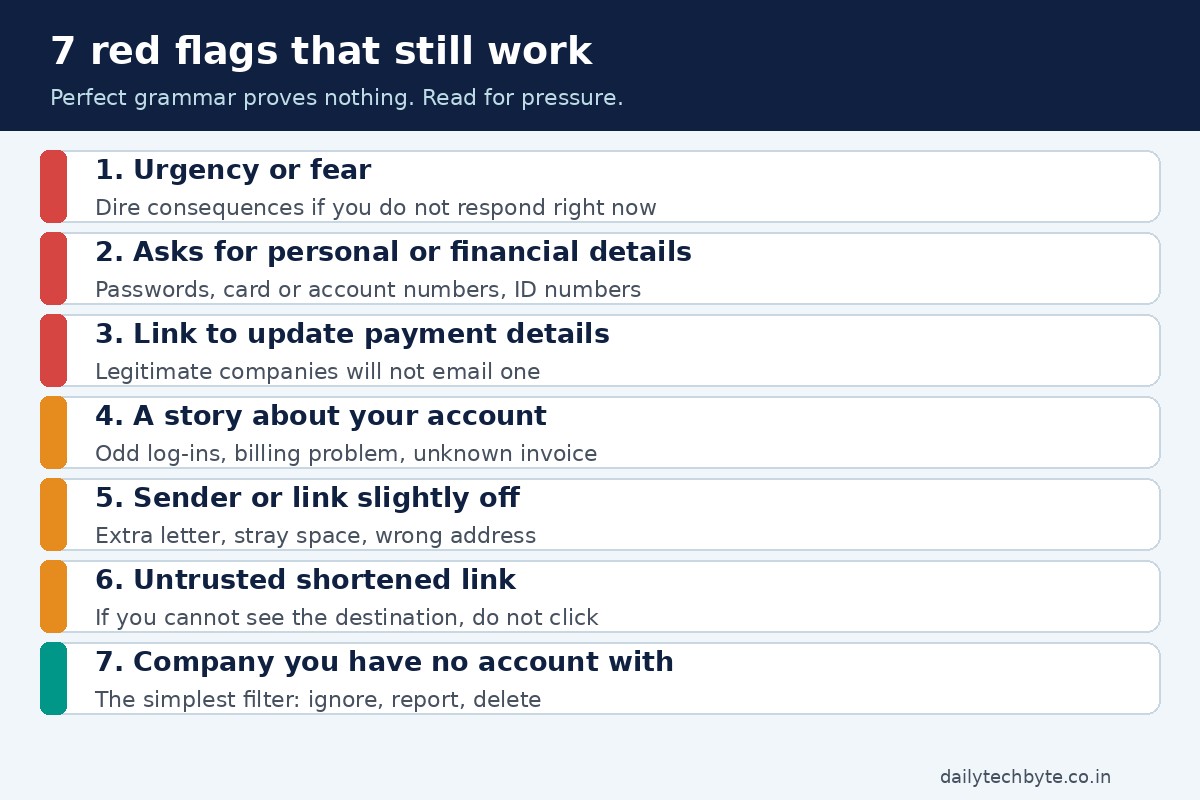
Seven red flags that still work
- Urgency or fear. Messages that claim dire consequences if you do not respond right now. Real companies rarely threaten you by email.
- A request for personal or financial information. Passwords, card numbers, account numbers or government ID numbers sent by reply or typed into a page you reached from the email.
- A link to update payment details. Official consumer-protection guidance is blunt on this: legitimate companies will not email or text you a link to update your payment information.
- A story about suspicious activity or a problem with your account. Typical versions say there were odd log-in attempts, a billing problem, or an invoice you do not recognize.
- A sender address or link that is slightly wrong. Think of a brand name with an extra letter or a stray space. Cyber agencies list incorrect email addresses and links as a common sign.
- Untrusted shortened links. If you cannot see where a link goes, do not use it.
- A message from a company you have no account with. This is the simplest filter of all, and I use it first.
The one question that does most of the work
The US consumer protection regulator, the FTC, suggests asking one question when a message wants you to click a link or open an attachment: do I have an account with this company, or do I know the person who contacted me?
- If the answer is no, it could be phishing. Look for the signs above, report it, then delete it.
- If the answer is yes, contact the company using a phone number or website you know is real, not the details in the email.
Notice what this does. It makes the quality of the writing irrelevant. A flawless email from a company you have never used is still suspicious.
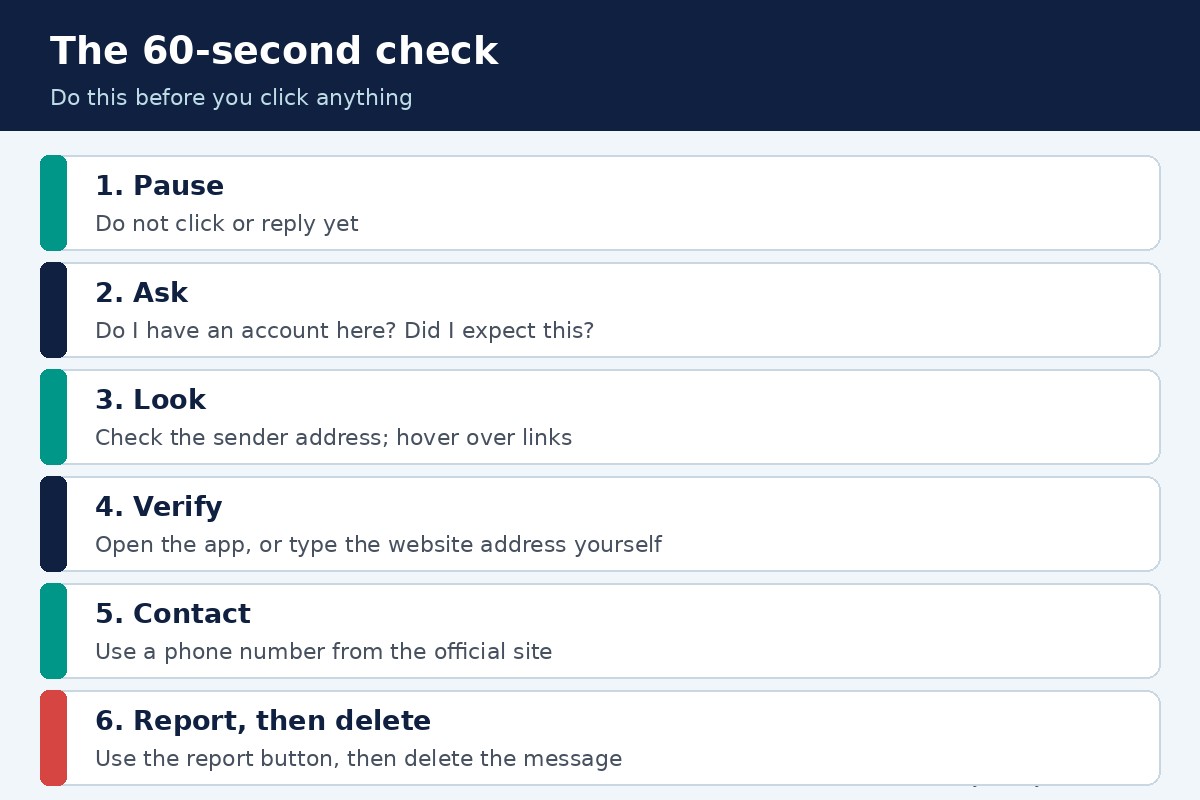
A 60-second check before you click
| Step | What to do | Why it works |
|---|---|---|
| 1. Pause | Do not click or reply yet | Urgency is the scammer’s main tool |
| 2. Ask | Do I have an account here? Did I expect this? | Filters out most cold phishing |
| 3. Look | Check the sender address and hover over links to see the destination | Spots lookalike domains |
| 4. Verify | Open the company’s app, or type its website address yourself | Skips the link entirely |
| 5. Contact | Use a phone number from the company’s official site | Avoids fake numbers inside the email |
| 6. Report, then delete | Use your email’s report button, then delete | Helps others and clears the risk |
What if the email might be real?
Sometimes it genuinely is your bank or your delivery service. Cyber agencies give the same safe route: do not click any link or call any number in the message. Look up another way to reach the company. Go to its official website and take the contact details from there, or search for the site yourself, or type the address.
If a friend seems to message you something odd, use another channel too. If you have their phone number, text or call and ask whether they sent it.
Protect yourself before the next one arrives
Your spam filter catches a lot, but scammers keep trying to outsmart filters, so add layers. The FTC lists four:
- Security software on your computer, set to update automatically.
- Automatic software updates on your phone.
- Multi-factor authentication on accounts that offer it. It makes logging in harder for a scammer even if they have your username and password.
- Backups of your computer and phone data.
My own opinion: turn on multi-factor authentication for your email account first. Your email is the key to resetting everything else.
What to do if you already clicked or replied
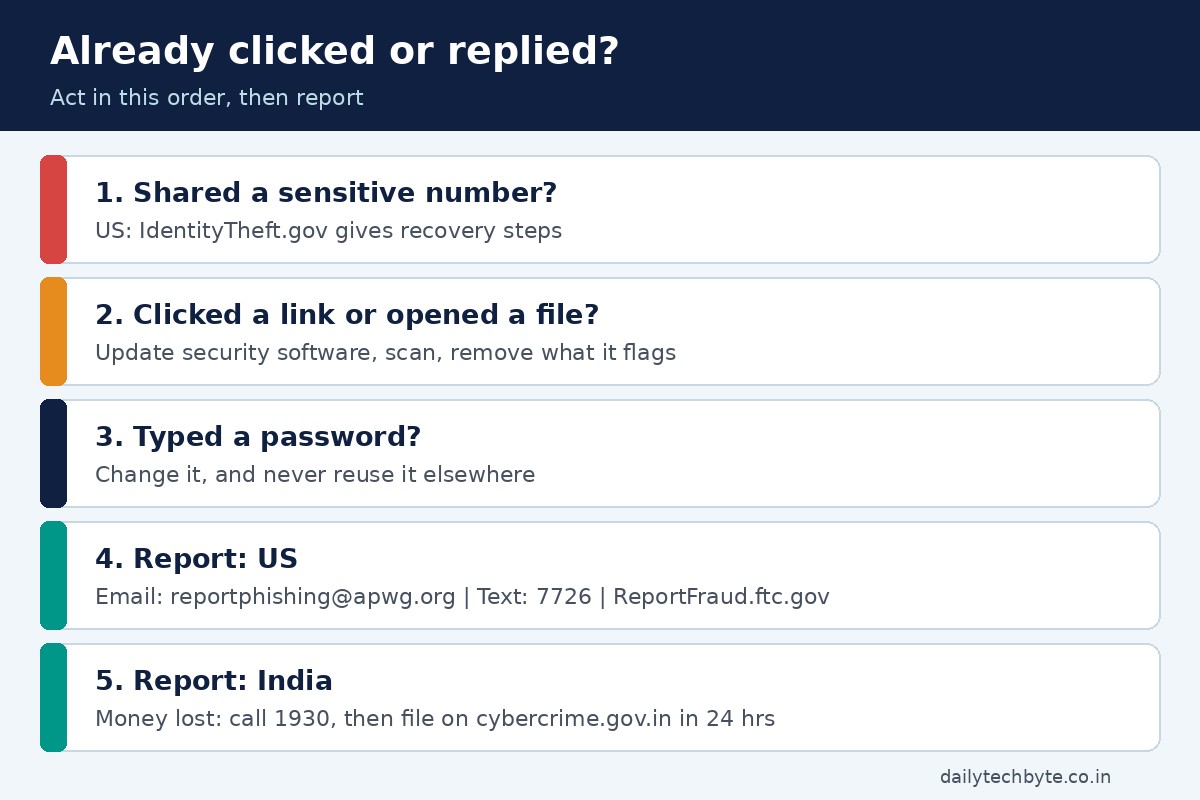
Do not panic, and do not hide it. Act in this order.
- If you shared sensitive details such as a card, bank or government ID number, the FTC points US readers to IdentityTheft.gov for step-by-step recovery based on what was exposed.
- If you clicked a link or opened an attachment that may have installed harmful software, update your security software, run a scan and remove whatever it flags.
- Change the password of any account you typed into a suspicious page, and do not reuse it anywhere else.
- Report it (see below).
If your details leaked in a bigger incident, my calm 48-hour plan after a data breach walks through the next steps.
Where to report phishing: US and India
| Where | Channel | What to send |
|---|---|---|
| US, email | Forward the email to the Anti-Phishing Working Group at reportphishing@apwg.org | The suspicious email |
| US, text | Forward the text to 7726 (SPAM) | The suspicious text |
| US, any scam | Report at ReportFraud.ftc.gov | A description; for email, paste the message text in the comments and do not click its links |
| India, money lost | Call the national cybercrime helpline 1930 | Your details and the transaction details |
| India, any cybercrime | File on cybercrime.gov.in | Registration with your name and Indian mobile number, then the complaint |
One detail for India: after you call 1930 for a financial fraud, the helpline’s own guidance says you must complete a formal complaint on the portal within 24 hours using the acknowledgement number you get by SMS. Keep that SMS.
And a warning for US readers: the FBI’s internet crime centre says scammers impersonate it too. It states that it will never directly contact you for information or money.
Common mistakes I see
- Trusting a message because it addresses you by name. Names are easy to find.
- Calling the number printed in the suspicious email.
- Clicking “unsubscribe” on a message you think is a scam. Cyber agencies say to just delete it.
- Waiting to report. A quick report helps protect others.
For another kind of account-takeover scam, read how to prevent SIM swapping on Android and iPhone. And if money or crypto is involved, see what happens if a crypto exchange gets hacked.
The bottom line
AI made scam emails smoother, not smarter. They still need you to hurry, click, or hand something over. Slow down, ask whether you have an account there, and verify through a door you open yourself. That habit beats any typo test.
FAQ
How can I tell if an email was written by AI?
You usually cannot, and you do not need to. Cyber agencies note that some phishing emails now have perfect grammar and spelling. Judge the request instead: urgency, an ask for personal or financial details, an odd sender address or link, or a company you have no account with.
Are typos still a sign of phishing?
They can be, but their absence proves nothing. Treat a clean, polished email with the same suspicion if it pushes you to act fast or share information.
What should I do if I clicked a phishing link?
Update your security software and run a scan, change the password of any account you typed into the page, and report the message. In the US, IdentityTheft.gov gives recovery steps if you shared a sensitive number.
Where do I report a phishing email?
In the US, forward it to reportphishing@apwg.org and report it at ReportFraud.ftc.gov. In India, report cybercrime on cybercrime.gov.in and call 1930 if money was lost.
Is it safe to click unsubscribe on a suspicious email?
No. Cyber agencies advise deleting the message without replying or clicking any link or attachment, including an unsubscribe link.