Last updated: November 6, 2026 · By Sanket Goyal
To check a used phone before buying, do three things first: confirm the IMEI is clean, make sure the previous owner’s account is gone, and look at the battery and screen with your own eyes. Skip any of these and a cheap deal can turn into a locked, blocked or worn-out phone.
Gadget prices keep creeping up, so more people are looking at second-hand and refurbished phones. That is a sensible move. But a used phone is the one purchase where the seller knows far more than you do. Here is the exact order I follow, with the official checks that matter. Allow 15 minutes and a charger.
Step 1: Meet in a safe place with a charger and Wi-Fi
Pick a busy spot, ideally a shop or a mall food court, in daylight. Bring your own SIM, a charger and a way to go online. You will need all three. If a seller refuses to meet where you can test the phone properly, treat that as your first answer.
Step 2: Read the IMEI on the phone itself
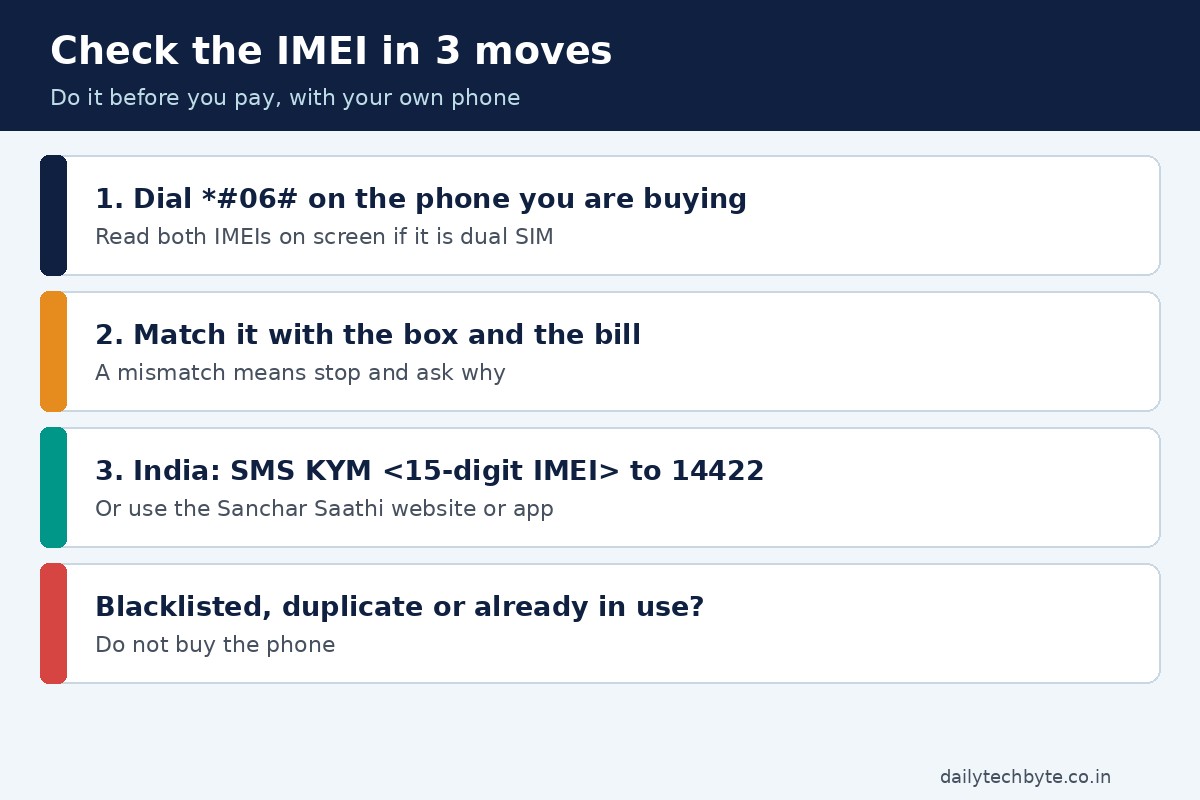
The IMEI is the 15-digit number that identifies a handset on the network. Dial *#06# on the phone and it appears on screen. A dual-SIM phone has two IMEIs, so note both.
Do not trust a number the seller reads out or types into a message. Read it off the screen, then compare it with the sticker on the box and the invoice if there is one. A mismatch is a reason to stop and ask questions.
Step 3: Run the IMEI check (India)
India’s telecom department runs a “Know genuineness of your mobile handset” check on its Sanchar Saathi service. There are three ways to use it:
- The Sanchar Saathi website, under Citizen Centric Services.
- The Sanchar Saathi app on Android or iPhone.
- An SMS in the form KYM followed by the 15-digit IMEI, sent to 14422.
The result shows the maker, device type, brand and model. Check that these match the phone in your hand. The government guidance is plain: if the status shows blacklisted, duplicate or already in use, do not buy the phone.
Why it matters: a lost or stolen phone can be blocked on every Indian network. A phone someone reported stolen may look perfect and then stop working on a network after you pay. If you live outside India, ask your carrier whether it offers a similar check. I have only covered the Indian service here because that is the one I verified.
Step 4: Check the account lock
This is the step that hurts most when skipped, and it works differently on each system.
iPhone: Activation Lock
Apple says to check for Activation Lock before you buy from anyone who is not Apple or an authorized reseller. On iOS 15 or later, a locked phone shows an “iPhone Locked to Owner” screen when it wakes. If you see it, do not take the phone.
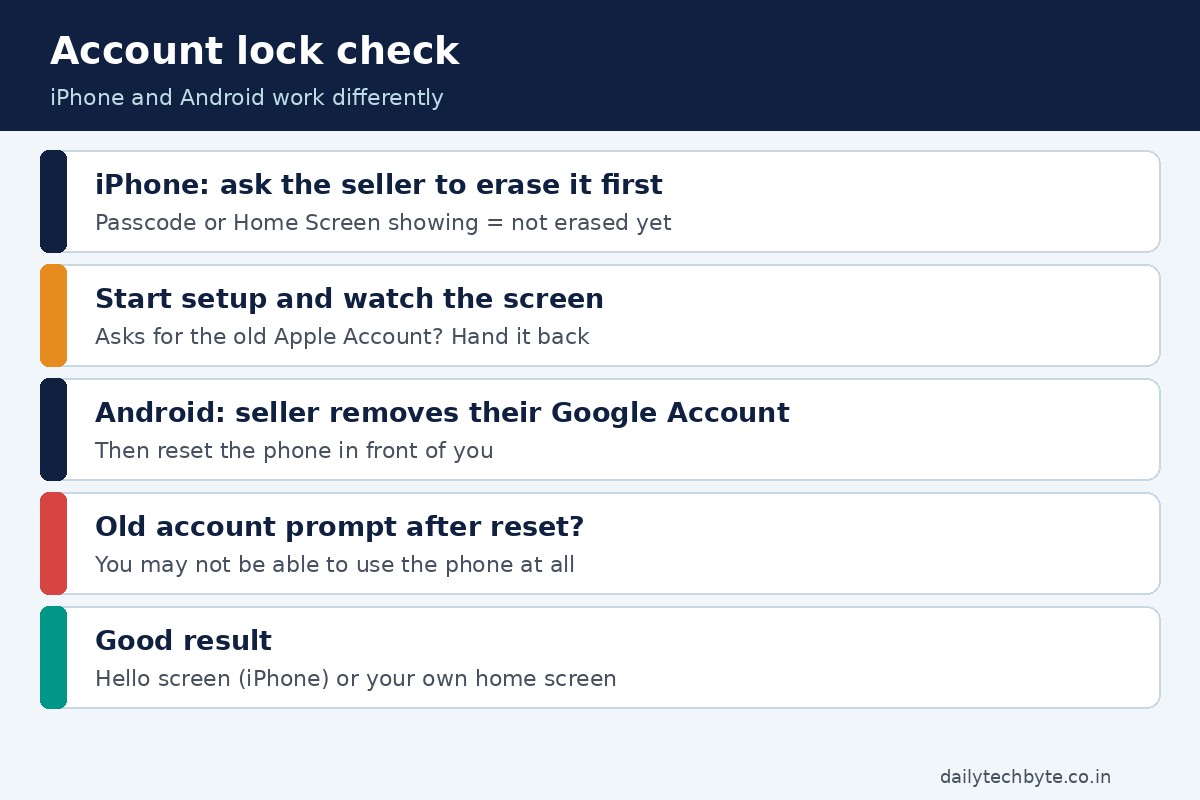
If you do not see it, turn the phone on and open it with the seller present. If you land on the passcode screen or Home Screen, the phone has not been erased yet. Ask the seller to erase it fully while you watch. Then begin setup. If it asks for the previous owner’s Apple Account, the phone is still linked to them. Hand it back and have them enter their password or remove the device from their account. The phone is ready for you only when you reach the Hello screen.
Android: Factory Reset Protection
Android has a similar guard. Google explains that after a factory reset, a protected phone needs the screen lock or the Google Account that was on it. If you cannot provide that, you will not be able to use the device at all. To turn the protection off, the seller removes their Google Account from the phone.
So ask the seller to remove their Google Account, then reset the phone in front of you, and set it up until you reach your own home screen without any prompt for the old account. A factory reset alone proves nothing if the account is still attached.
| Phone | What you want to see | Walk away if |
|---|---|---|
| iPhone | Hello setup screen after erase | “iPhone Locked to Owner” or a request for the old Apple Account |
| Android | Setup completes with no old-account prompt | It asks for the previous owner’s screen lock or Google Account |
Step 5: Look at the battery
Batteries wear out. That is normal. What you want is a battery that is not badly worn and not swapped for something odd.
On an iPhone, go to Settings, then Battery, then Battery Health. It shows maximum capacity compared with when the battery was new. Apple designs the battery on iPhone 14 models and earlier to keep 80 percent of its capacity at 500 full charge cycles, and iPhone 15 models at 1000 cycles, under ideal conditions. Real life varies.
Read any message on that screen too. “Unable to verify this iPhone has a genuine Apple battery” means the health figure may not be accurate. A “significantly degraded” message is not a safety issue, but expect shorter battery life and budget for a replacement.
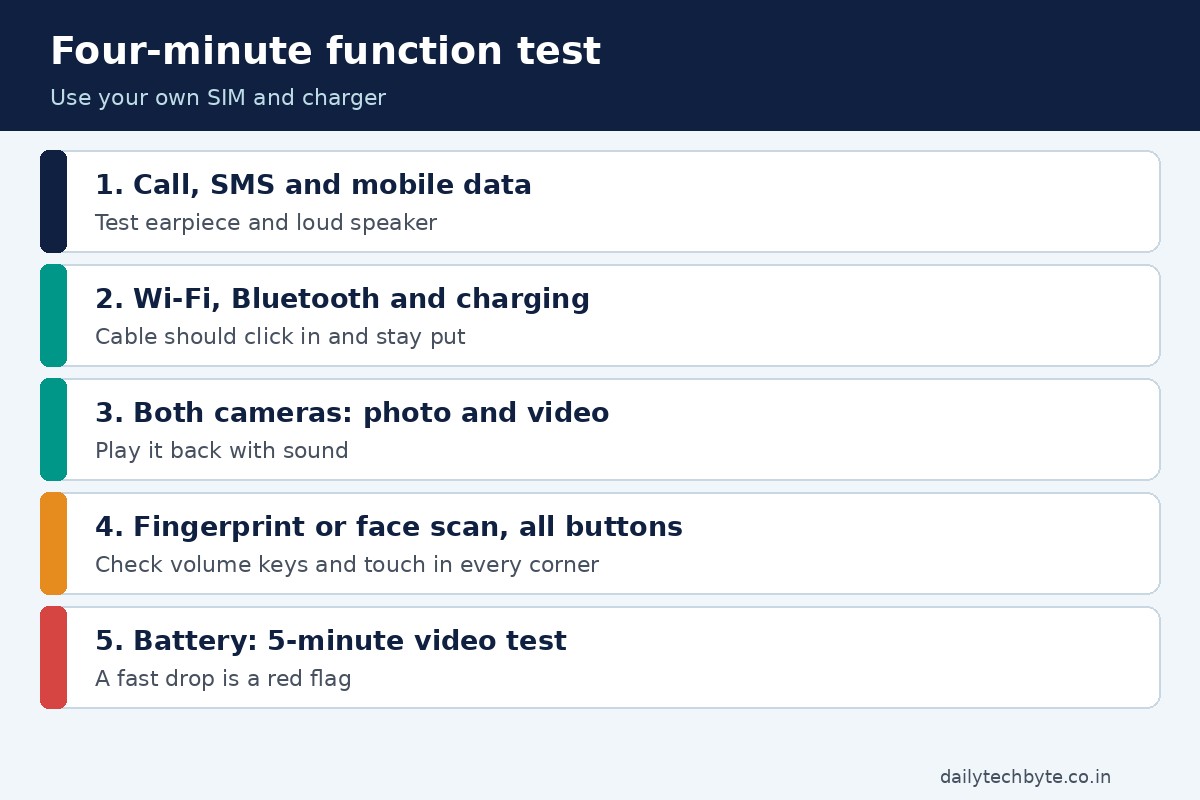
On Android the battery menu differs by brand, so I will not guess a path. A simple test works on any phone: note the battery percentage, play a video for five minutes at normal brightness, and see how much it drops. A fast fall on a phone that was said to be “barely used” is a red flag.
Step 6: Test the body and screen
Take two minutes for the physical check.
- Open a plain white image and a plain black image at full screen. Look for lines, dead pixels, dark patches or yellow tinting.
- Drag an icon slowly to every corner to make sure touch works everywhere.
- Look for a bent frame, gaps around the screen or a swollen back. A bulging back can mean a failing battery.
- Check the charging port. The cable should click in and stay put.
- Press every button and check volume up and down.
Step 7: Test the parts that fail quietly
Some faults only show up when you use a feature.
- Put your SIM in and make a call. Check both the earpiece and the speaker.
- Send an SMS and open a web page on mobile data.
- Connect to Wi-Fi and turn Bluetooth on.
- Take a photo and a short video with both front and rear cameras, then play it back with sound.
- Test the fingerprint sensor or face scan if the phone has one.
- Plug in headphones or a charger and see whether charging starts.
This takes four minutes and catches most of the “it worked at home” surprises.
Step 8: Ask about warranty, then pay safely
Ask for the original bill. Ask whether any warranty is left, and check the dates against the phone’s model. If a phone has had repairs, ask what was replaced and whether the seller can show a repair receipt. For iPhones, Apple notes that a part taken from a device that was Activation Locked may not be eligible for service under its warranty or an AppleCare plan, so a repaired iPhone is worth a closer look.
Pay only after every test passes. Use a method that leaves a record, such as UPI or a bank transfer to a named account, and keep the chat, the bill and a photo of the IMEI screen. Avoid paying part of the amount in advance to someone you have not met.
Quick checklist you can follow
| Check | How | Pass if |
|---|---|---|
| IMEI on screen | Dial *#06# | Matches box and bill |
| IMEI status (India) | KYM SMS to 14422 or Sanchar Saathi | Not blacklisted, duplicate or in use |
| Account lock | Erase and start setup | Reach Hello screen or your own home screen |
| Battery | Battery Health or a short video test | No odd messages, no fast drain |
| Screen | White and black images, touch test | No lines, patches or dead zones |
| Functions | Call, data, camera, sensors | Everything works |
| Paperwork | Bill and warranty | Dates and model make sense |
Common mistakes
- Trusting a screenshot of the IMEI instead of reading it on the phone.
- Skipping the account-lock check because the phone “looks reset”.
- Testing only in the seller’s home, with no SIM of your own.
- Judging a phone by its price alone. A very low price is usually a reason for more checks, not fewer.
- Paying in cash with no bill or record.
The bottom line
A used phone can be a great deal. It is a good deal when the IMEI is clean, the account is released, the battery is healthy and everything works. If any one of those fails and the seller cannot fix it on the spot, walk away. There will be another phone next week.
Once you have the phone, lock it down properly. My guide on how to prevent SIM swapping on Android and iPhone covers the first settings to change, and how to secure smart home devices helps if the new phone will control gadgets at home. If you are also buying other second-hand gear, see how to check if a product is recalled.
FAQ
How do I check the IMEI of a used phone?
Dial *#06# on the phone to see it, and compare it with the box and bill. In India, check it on the Sanchar Saathi website or app, or send KYM followed by the 15-digit IMEI to 14422.
What does a blacklisted IMEI mean?
It means the phone is flagged, for example as lost or stolen. The government guidance says to avoid buying a phone whose status shows blacklisted, duplicate or already in use.
How do I know if a used iPhone is locked to the previous owner?
Turn it on and start setup after it has been erased. If it shows “iPhone Locked to Owner” or asks for the previous owner’s Apple Account, it is still linked. You are ready only when you see the Hello screen.
Can I use a used Android phone if the Google account was not removed?
Possibly not. After a factory reset, a protected phone asks for the earlier screen lock or Google Account, and without it you cannot use the device at all. Ask the seller to remove their account first.
How do I check the battery health of a used phone?
On an iPhone, open Settings, then Battery, then Battery Health. On other phones, run a short video test and watch how fast the percentage drops.